browser extension · available now
ai/notes

One notepad. Every AI. Stop re-explaining yourself every single session.

Add to Chrome Watch the demo

free to install · $3 one-time to unlock

how it works

Write once. Paste anywhere.

One pad per AI

Claude sees what Claude needs. ChatGPT sees what ChatGPT needs. No more copy-pasting your life story into every chat.

Copy context instantly

One click grabs your notes formatted and ready to paste. Or let the browser extension inject it automatically on page load.

8 AIs supported

Claude, ChatGPT, Gemini, Grok, DeepSeek, Perplexity, Copilot, and Meta AI — auto-inject works on all of them. Use copy context for anything else.

see it in action

Your notes, already there

No copy-pasting, no clicking around. Open the AI, and your context is already waiting in the chat box.

01
Write your notes once

Click the ai/notes icon to open the app and write a separate note for each AI you use — Claude, ChatGPT, Gemini.

02
Visit the site like normal

No need to open the extension first. Just go to claude.ai or chatgpt.com as you usually would.

03
It's already in the chat box

Your saved notes appear automatically, ready to send. It never overwrites anything you're typing.

Watch ai/notes in action — about a minute.

claude.ai
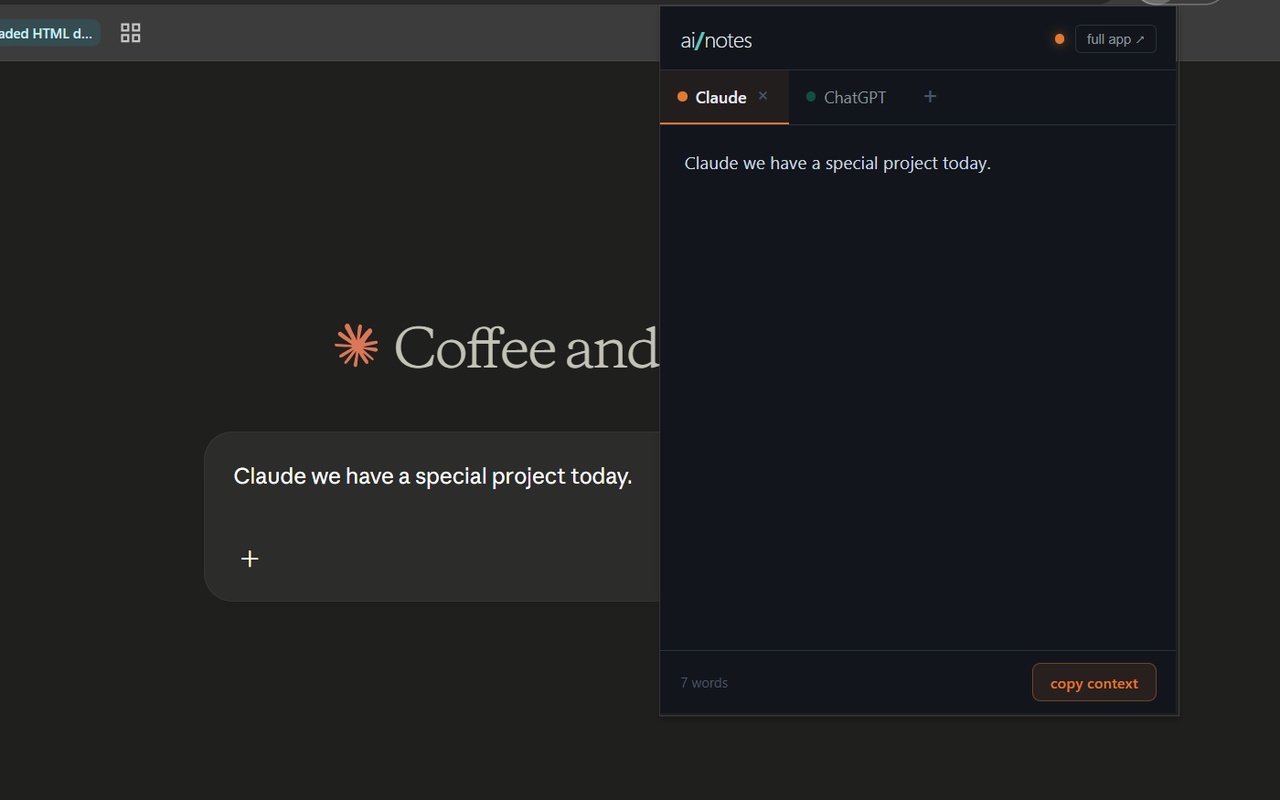
ai/notes automatically filling saved notes into a Claude chat

Notes for Claude, dropped straight into a new chat.

chatgpt.com
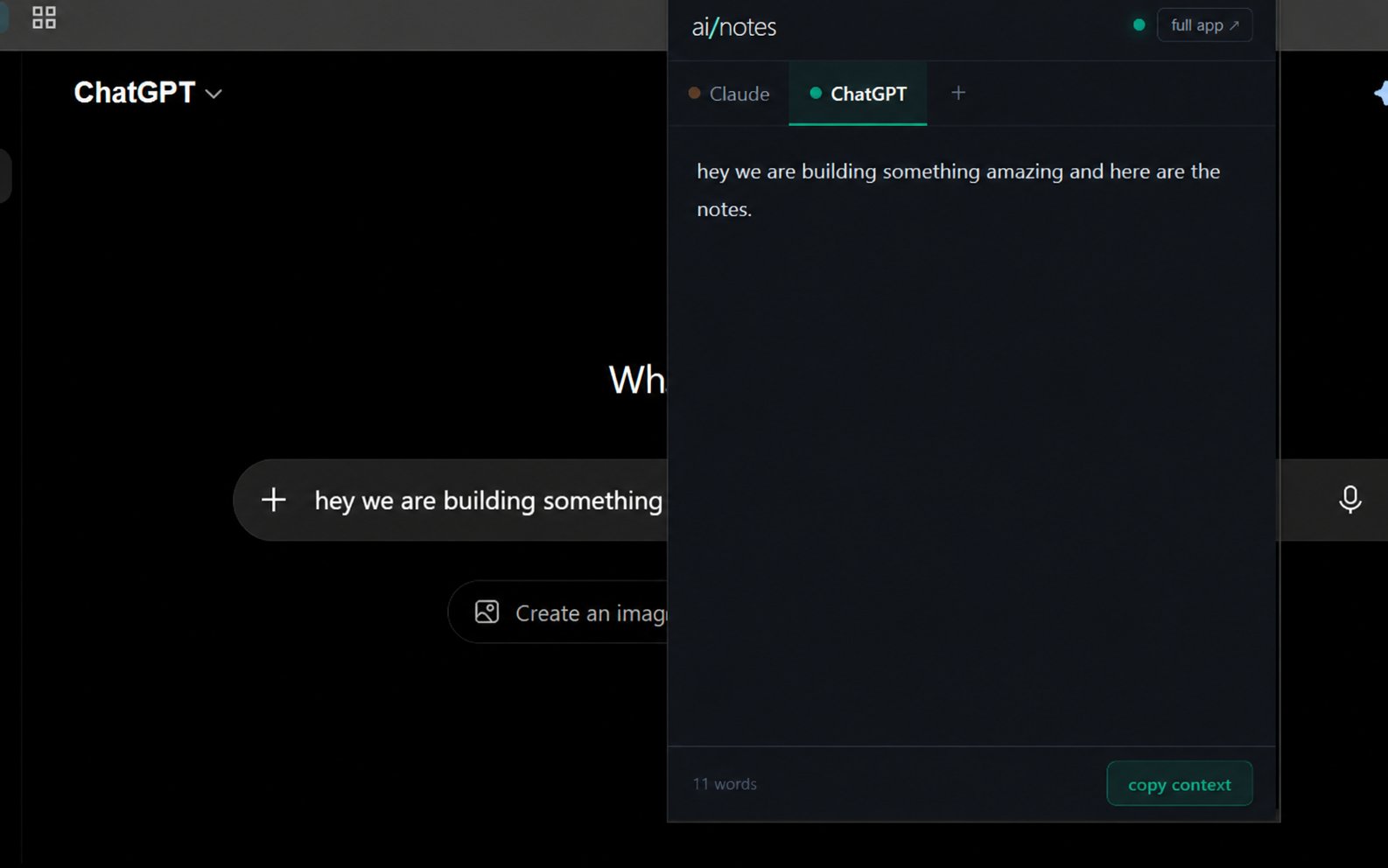
ai/notes automatically filling saved notes into a ChatGPT chat

Same idea on ChatGPT — its own separate slot, its own notes.

simple pricing
$3 one-time

Unlimited AI slots. Browser extension included.
Yours forever — no subscription.

Add to Chrome — free

one-time payment · no subscription